Step-by-step guide
Create your first brand
The ways to create a brand in Krellot, how to build it from your Instagram or TikTok and how to switch between your brands.
In this guide
Before you start
- Be signed in to Krellot.
- Your Instagram or TikTok username, if you want to start with your social networks (it's optional).
Step by step
Step 1 — Choose how to start
The first time you sign in, Krellot asks how you want to start:
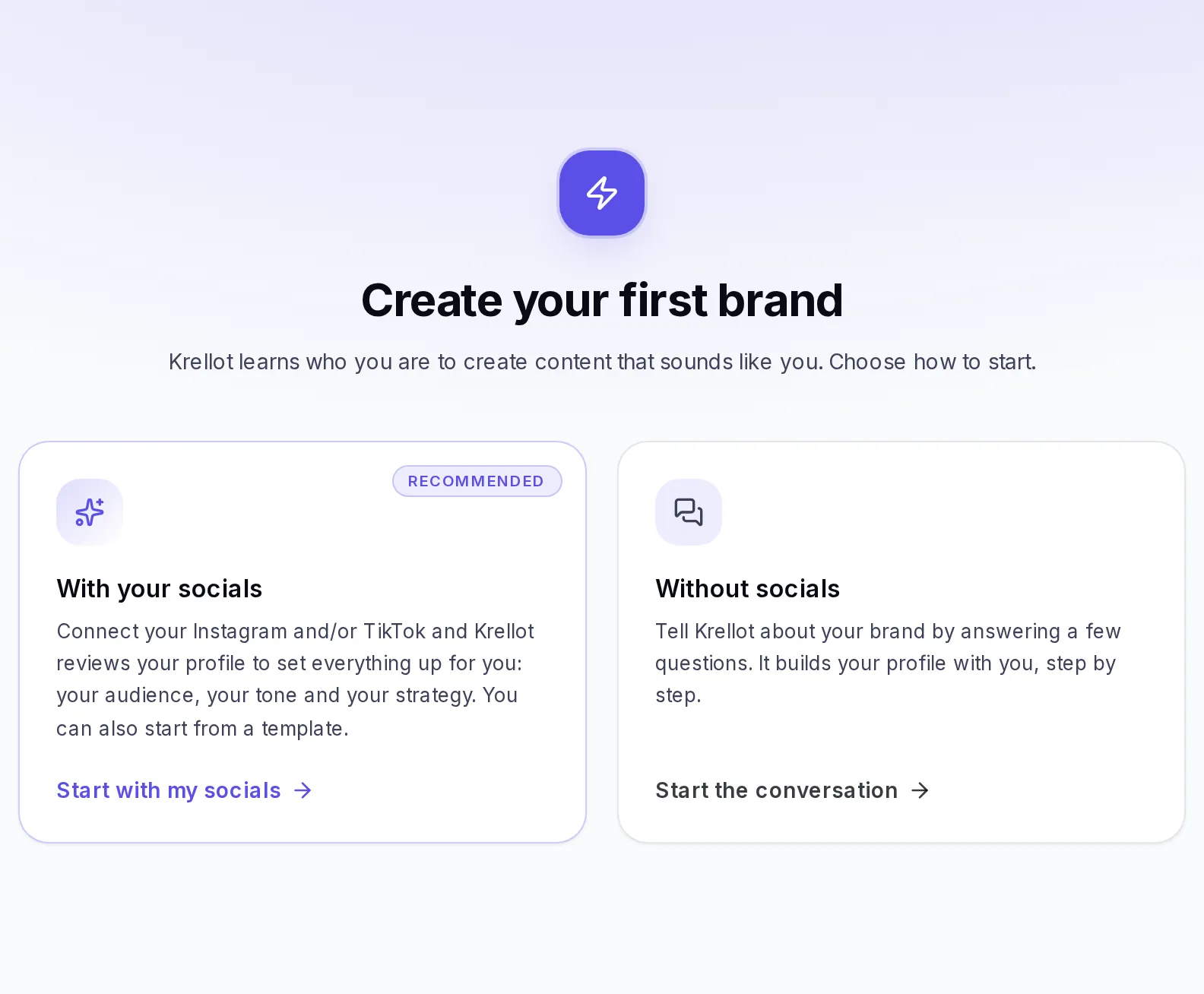
- With your socials (recommended). Tap Start with my socials, choose a template similar to your business and type your Instagram and/or TikTok username. Krellot reviews your profile to suggest your audience, your tone and your strategy. It's explained in detail in Create a brand from Instagram or TikTok.
- Without socials. Tap Start the conversation, type your brand's name and answer a few questions. Krellot builds your profile with you, step by step.
Step 2 — Review what was built
When it's done, review the proposal and correct whatever doesn't represent you. You can change everything later in Brand → Settings.
Create another brand
Open the brand selector, at the top of the menu, and tap Create brand. If yours is an agency account, tap Create, choose A brand of your own and tap Continue. If you don't see that option in the menu, go to Brand and tap New Brand. You'll see three options:
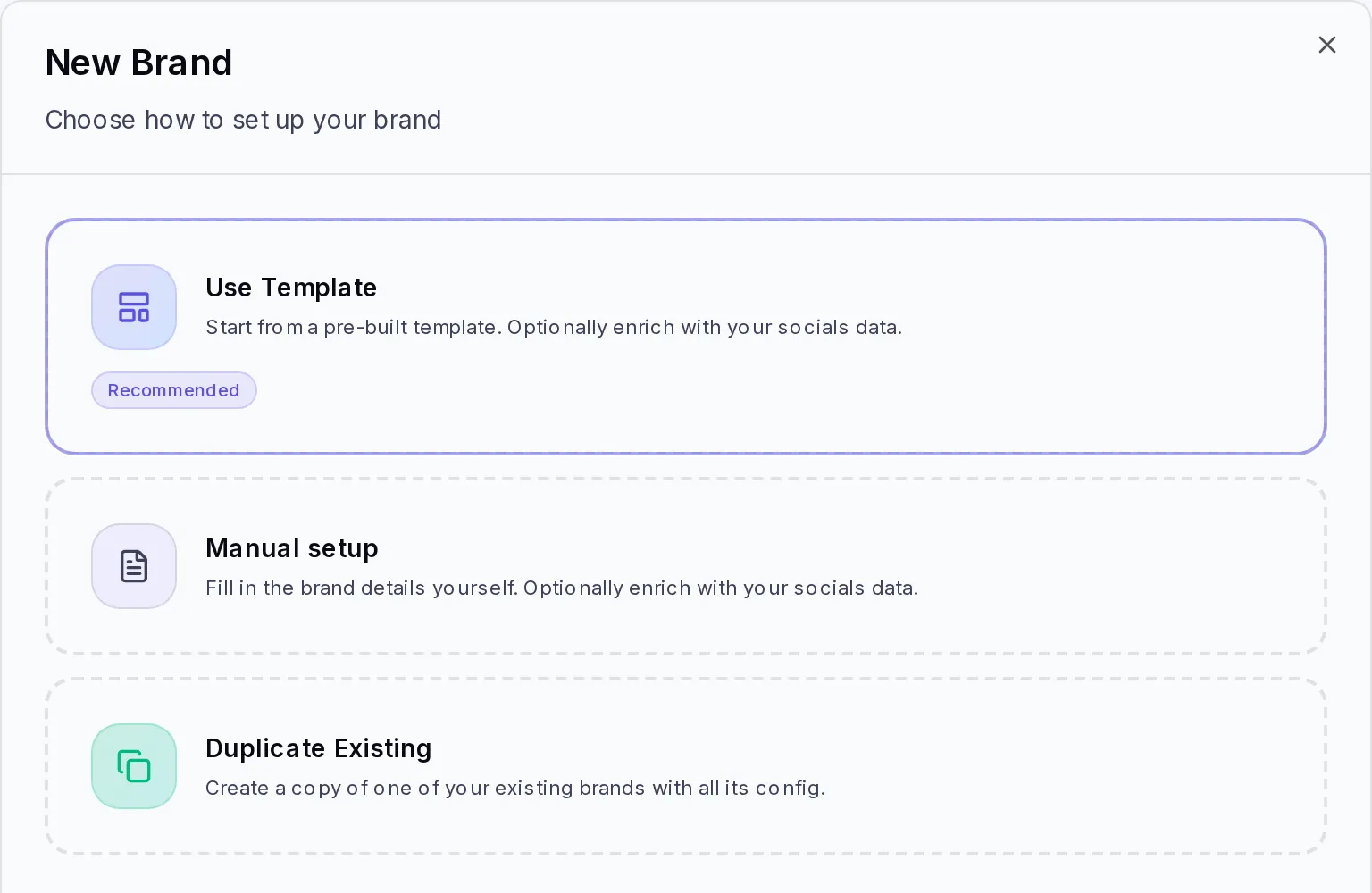
- Use Template (recommended). Choose a template similar to your business and adjust it. If you type your Instagram or TikTok username in Auto-setup from your socials, Krellot completes the settings based on your recent posts.
- Manual setup. Five steps: Brand Profile, Audience, Tone & Voice, Content Framework and Content Strategy. Only the identifier (the "Slug" field) and the display name are required; you can fill in the rest later.
- Duplicate Existing. Copies the settings of a brand you already have. Useful if you manage similar brands.
If your plan has already reached its brand limit, the Create brand button doesn't show up in the selector.
Create a brand from Instagram or TikTok
It's the fastest way to get your brand ready: Krellot reviews your recent posts and builds the settings for you (audience, tone, voice, strategy and metrics). Afterward you only correct what doesn't represent you.
- If it's your first brand, tap Start with my socials. If you already have brands, tap Create brand in the brand selector (or New Brand in Brand, if you don't see that option) and choose Use Template.
- In Select a Template, tap the one most similar to your business.
- Type your brand's identifier in the "Slug" field (no spaces, for example "mybrand"), the Brand Display Name and the Creator Name.
- Check the Brand niche. If the template already comes with one, you'll see it written; tap Change the niche if it isn't yours.
- In Auto-setup from your socials, type your username or the link to your Instagram, your TikTok or both.
- If you want, add in Extra Context (optional) what isn't on your profiles: your services, your market or what sets you apart.
- Tap Create & Enrich from socials.
You'll see a notice that your brand is being created while Krellot analyzes your profile. It may take a little while.
- If it's your first brand, when it's done you'll see "Here's what Krellot knows about you": a summary of your niche, your audience and your voice. Tap Continue to go to Studio and create your first ideas.
- If you already had other brands, you'll see "Brand … ready" and you'll find it in your brand selector or in the list in Brand.
You can also type your social networks in Manual setup: in that case the button says Create & Enrich from socials and Krellot enriches your brand with what it finds on your networks.
Switch between brands
Everything you create is saved in the brand you have selected. If your account has the Brand selector at the top of the side menu, this is how you switch to another one:
- At the top of the side menu, tap the Brand selector: it shows the name of the brand you have open.
- Tap the brand you want to switch to. If you have many, type its name in Search brand….
- Krellot takes you to that brand's Home. From there, everything you create (ideas, scripts, carousels) is for it.
If yours is an agency account, the selector is called Switch workspace: your clients' accounts show up in Sub-accounts and, if your account has it available, your own brands in Your brand.
If the Brand selector doesn't show up in your menu, go to Brand: you'll see the list of your brands and can open the one you want. To go back to the list, tap Back to brands.
If something goes wrong
- "You already have a brand with that name": choose a different name.
- "You reached your plan's brand limit": your plan doesn't allow more brands. You can delete one you no longer use or change plans from your profile menu, in Settings → Plan & Usage.
- Creating from your socials takes longer than usual: the screen lets you know it's still working. Wait a minute and reload the page.
- You can't find a brand in the selector: close the selector and open it again; the list updates every time you open it.
When you're done
Your brand shows up in the brand selector, at the top of the menu, and everything you create from now on will be for it.
Next step
Get your brand ready to create content that sounds like you: Set up your brand step by step.